Testing with Postman
Learn how to test using Postman
Postman is a popular API testing tool that allows you to send HTTP requests and inspect responses. The Postman collections can be used to test the API in the sandbox environment to understand the API behavior and test the integration.
Prerequisites
Before you begin, ensure you have:
- Postman web access and an account.
- Creating an application to obtain your
Consumer KeyandConsumer Secret.
Testing in Sandbox
Sandbox returns static sample responses and does not contain any application logic. It may not be suitable for full qualification testing.
Sandbox is recommended for developers who want to learn and understand the authentication method and for developers who are trying to set up the developer tools aimed to make integration easier. It ensures the application generates valid requests and can consume valid responses conforming to OpenAPI specifications.
Steps to configure and test an API
Swift provides Postman collections for each API that can be used to test the API in the sandbox environment.
Run the collection
Clicking on the Run in Postman button will open the collection in the Postman web interface.
| API | Authentication | Postman Collection |
|---|---|---|
| Payment Pre-validation API | JWT Bearer Grant Type |  |
| Tracker Frontend API | Password Grant Type | |
| Network Interoperability | JWT Bearer Grant Type | |
Fork the Collection
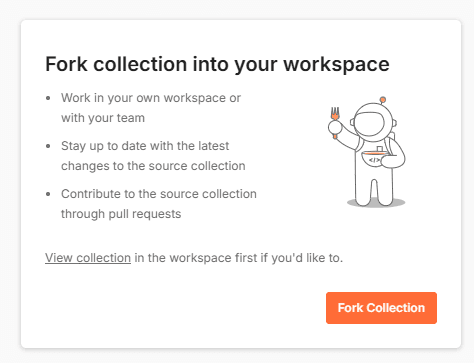
After clicking on the Run in Postman button, you will be redirected to Postman.
Click on the Fork Collection button to create a copy of the collection.
Configure environment variables
Application credentials can be found in the application details page in the Developer Portal.
Set up the required variables for authentication:
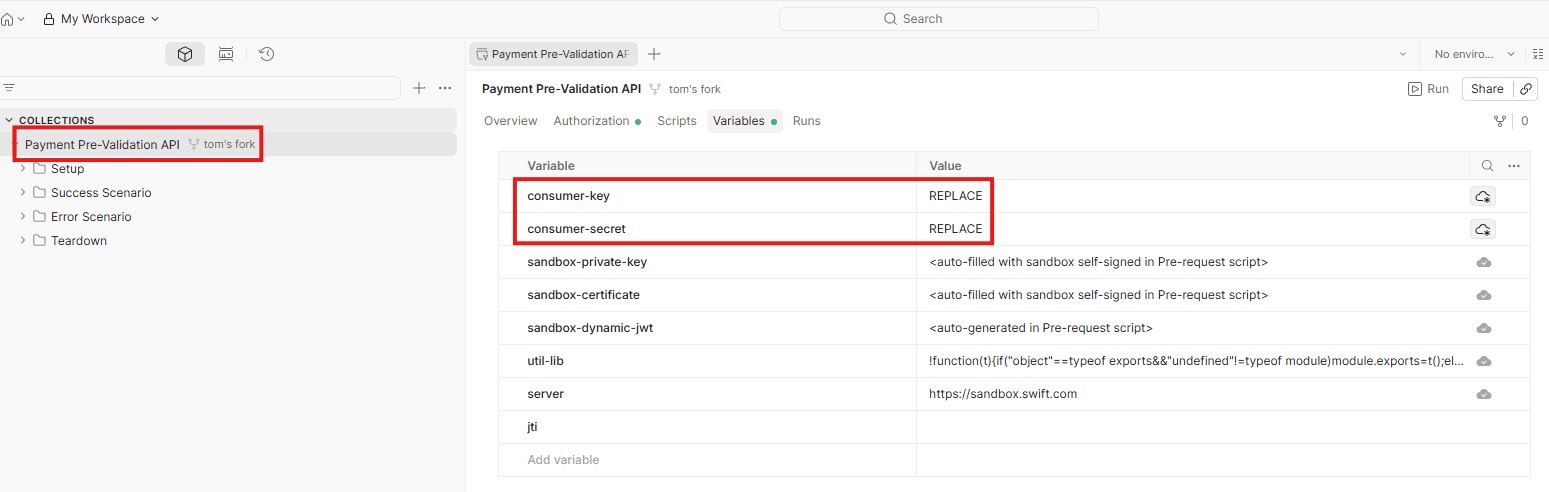
- Click the imported collection
- Replace the values in the collection variables with your actual credentials:
| Variable | Description |
|---|---|
consumer_key | Your application's Consumer Key |
consumer_secret | Your application's Consumer Secret |
Get an access token
- Open the Setup folder
- Click Send
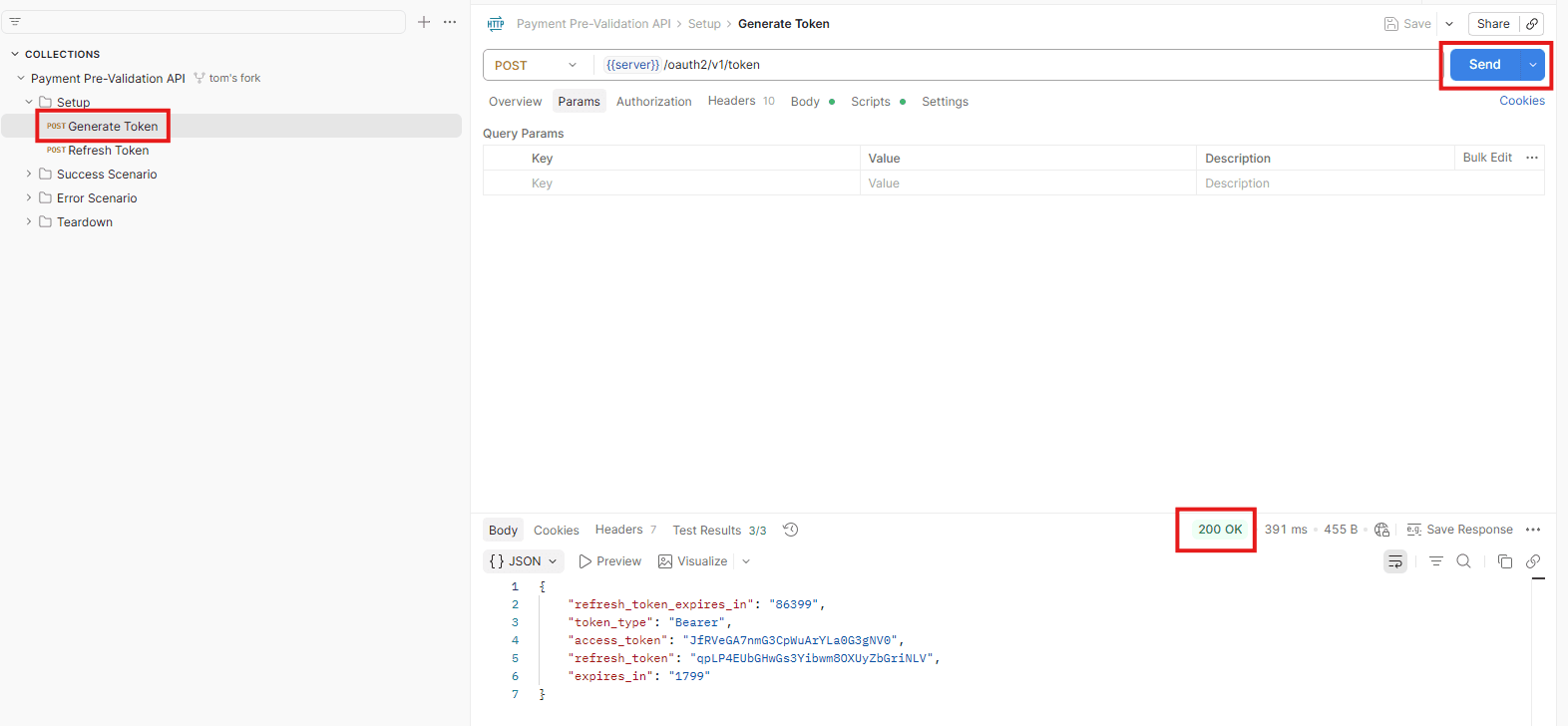
- Verify that an
HTTP 200 OKresponse is returned
Make API requests
Access tokens typically expire after a set period (e.g., 30 minutes).
If you receive a 401 Unauthorized error, request a new access token.
- Select a request from the collection
- Update any path parameters or query parameters as needed
- Click Send to execute the request
- Inspect the response in the lower panel