Application credentials
Application credentials for authenticating with Swift APIs
Any application that accesses Swift APIs must have authentication credentials that identify the application to Swift's OAuth 2.0 server.
These application credentials are known as client credentials in OAuth 2.0 terminology. For Swift APIs, the client credentials are sent as basic authentication credentials.
Create an application
An application allows you to generate a set of credentials to access the API products in the sandbox, test and production environments.
Sign up for an account
Sign up for an account with the Swift Developer Portal
Create an application
Go to My Apps page and click the Create an app button

Configure the application
Give a name to the application and choose the API product from the list. More than one API product can be selected.
Once you have selected the API products, click on the Create app button.
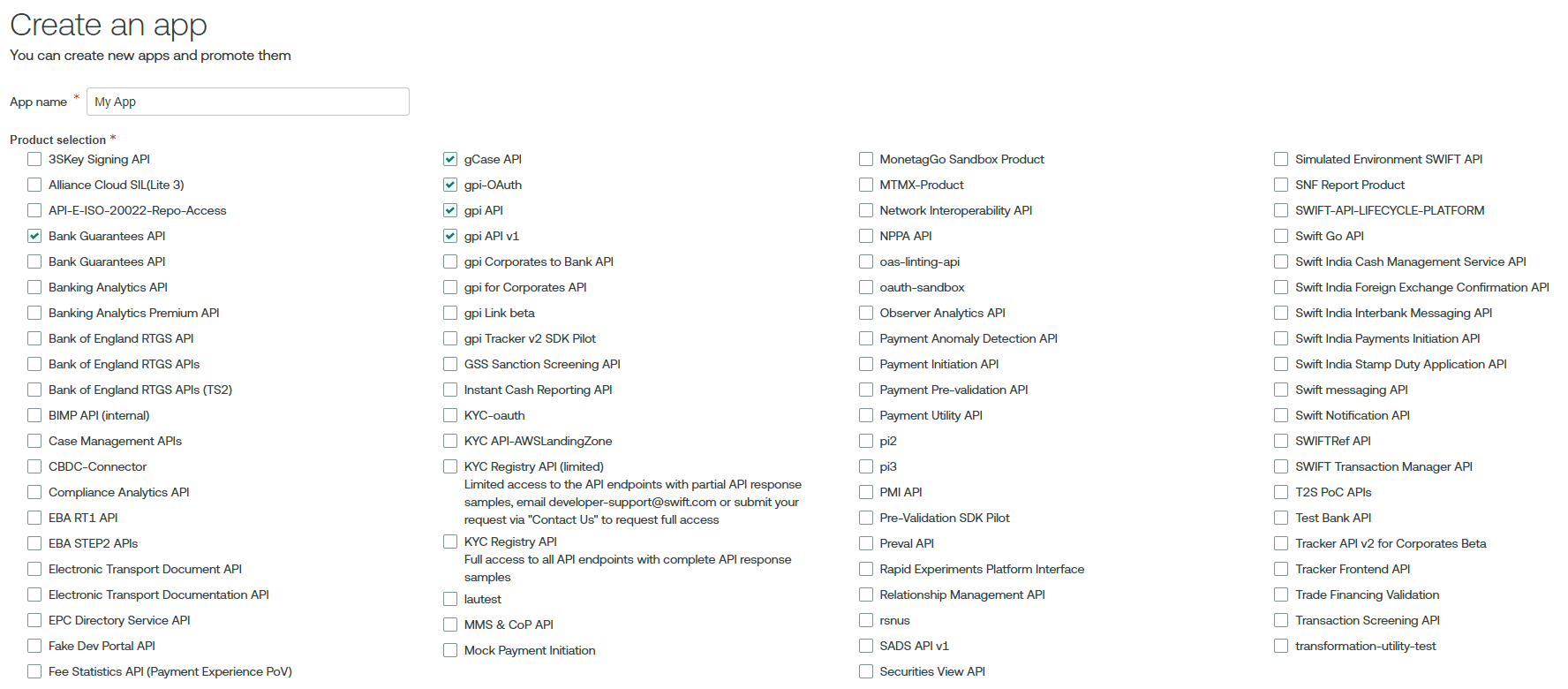
Retrieve the application credentials
After creating the application, the Consumer Key and Consumer Secret are generated and can be found in the application details.
These credentials are used as basic authentication credentials during the
OAuth token retrieval or Password grant type.
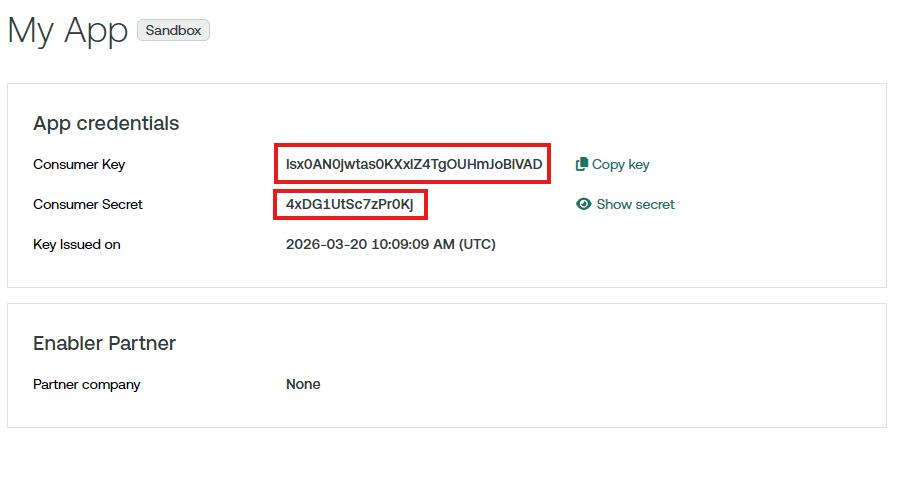
Promote an application
Applications are created in the sandbox environment and can be promoted to the test and production environments.
Navigate to My Apps page.
On the details page for your app, click Promote App.
Verify the information about the app.
If using a solution provided by Enabler Partner, let us know by selecting the name of the enabler partner from the dropdown menu. If you do not find the partner you are working with, skip this question. After submitting the promotion request, contact us.
Click Promote app.
Using the application credentials
The Consumer Key and Consumer Secret are used as basic authentication credentials during the OAuth token retrieval.
The credentials are passed in the Authorization header of the HTTP request.
POST /oauth2/v1/token HTTP/1.1
Host: sandbox.swift.com
Content-Type: application/x-www-form-urlencoded
Authorization: Basic MjJRU0JFQVFzQmR3dU5GNnNWalRqQWFZQ1JMT0tHMnZ0ajpramRzZmtkamZkMDk4OQ==

grant_type=urn%3Aietf%3Aparams%3Aoauth%3Agrant-type%3Ajwt-bearer
&scope=swift.preval%21p
&assertion=eyJhbGciOiJFUzI1NiIsImtpZCI6IjE2In0.
eyJpc3Mi[...omitted for brevity...].
J9l-ZhwP[...omitted for brevity...]
Not adding the credentials or using the wrong credentials will result in an error response.
{
    "error": "invalid_client",
    "errorDescription": "Client application cannot be authenticated."
}